Rendering
sekai environments have no render() method and no render_mode. Rendering is done by a
separate renderer object that reads an environment's state and returns a frame. Training
code never pays for rendering it does not use, one env can be drawn by several renderers, and
recording is a wrapper you add or remove without touching the environment.
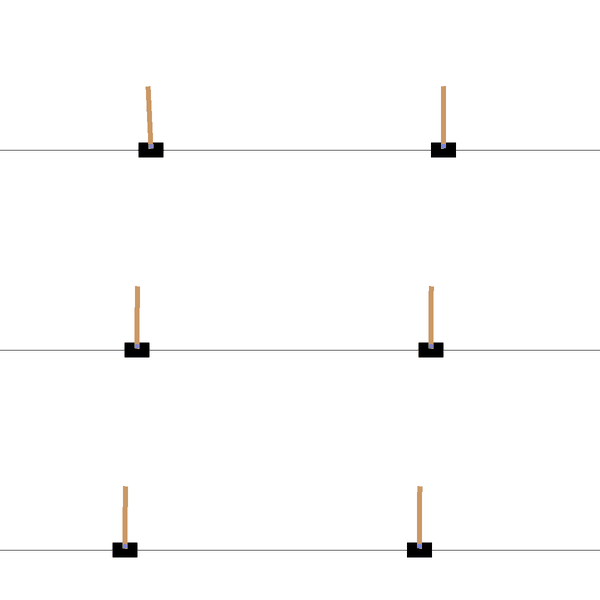
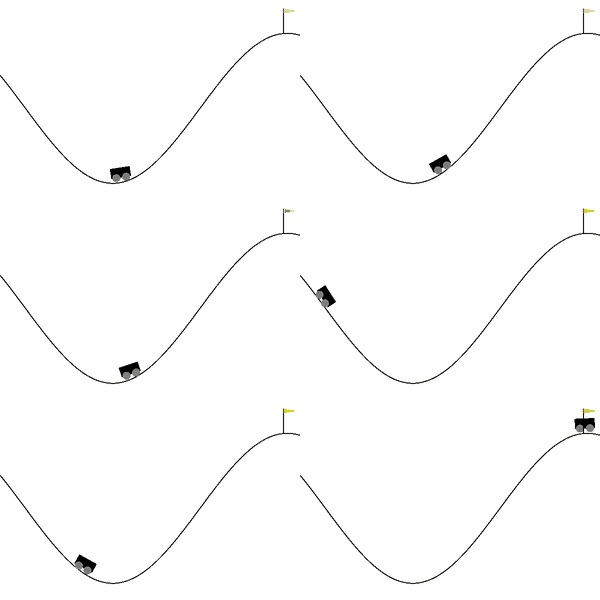

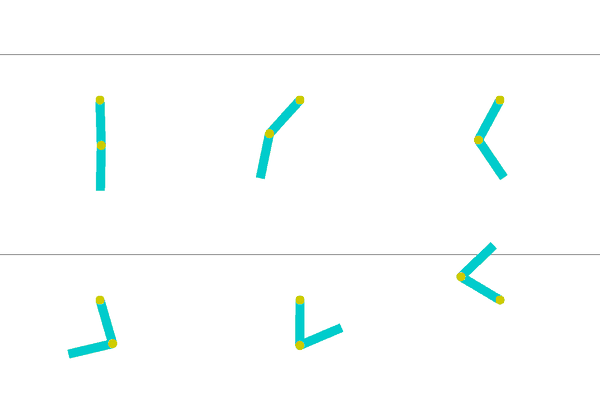
The finance environments are drawn as dashboards: the market, the agent's positions and trades, and its results, as the episode unfolds.
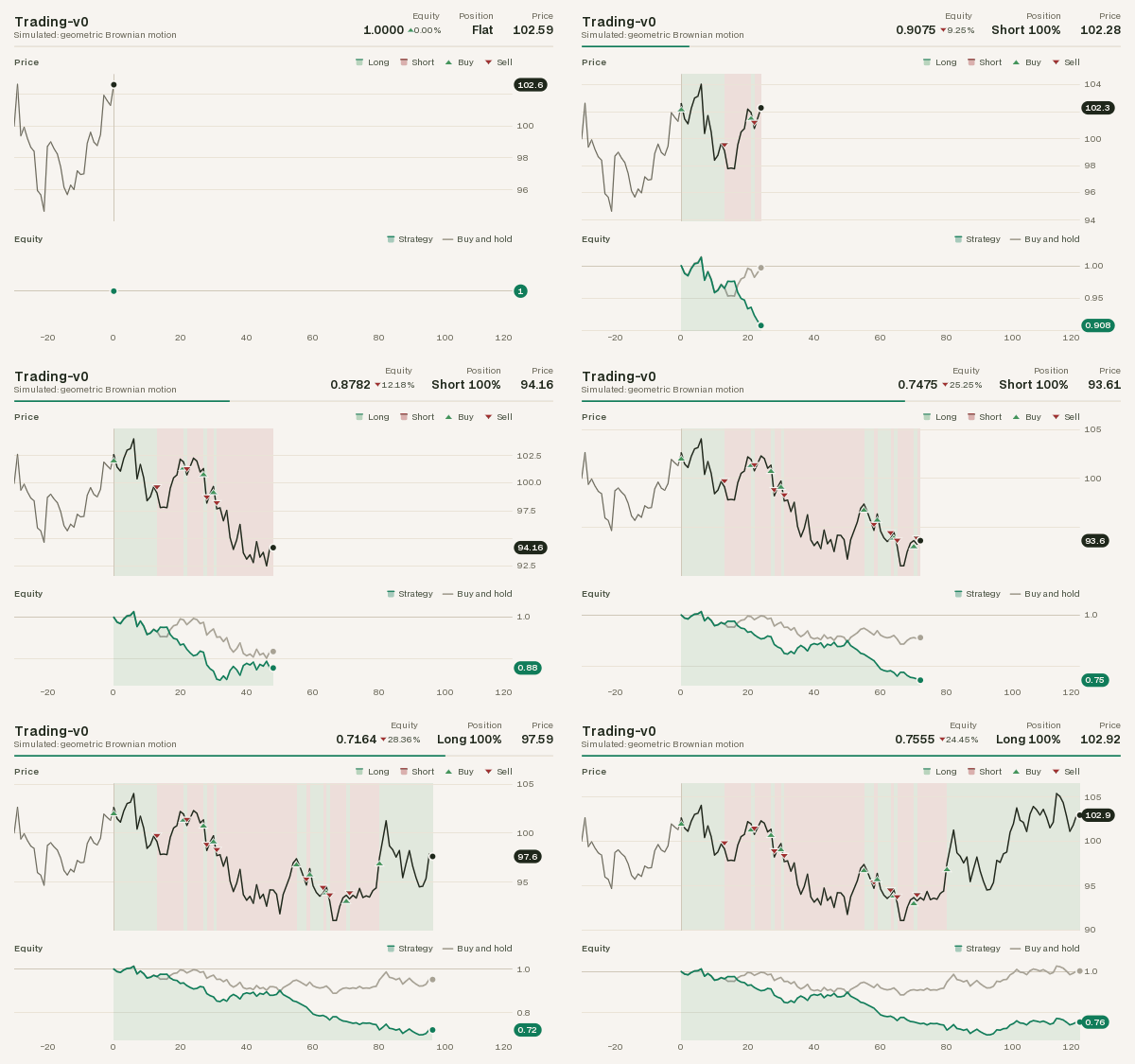
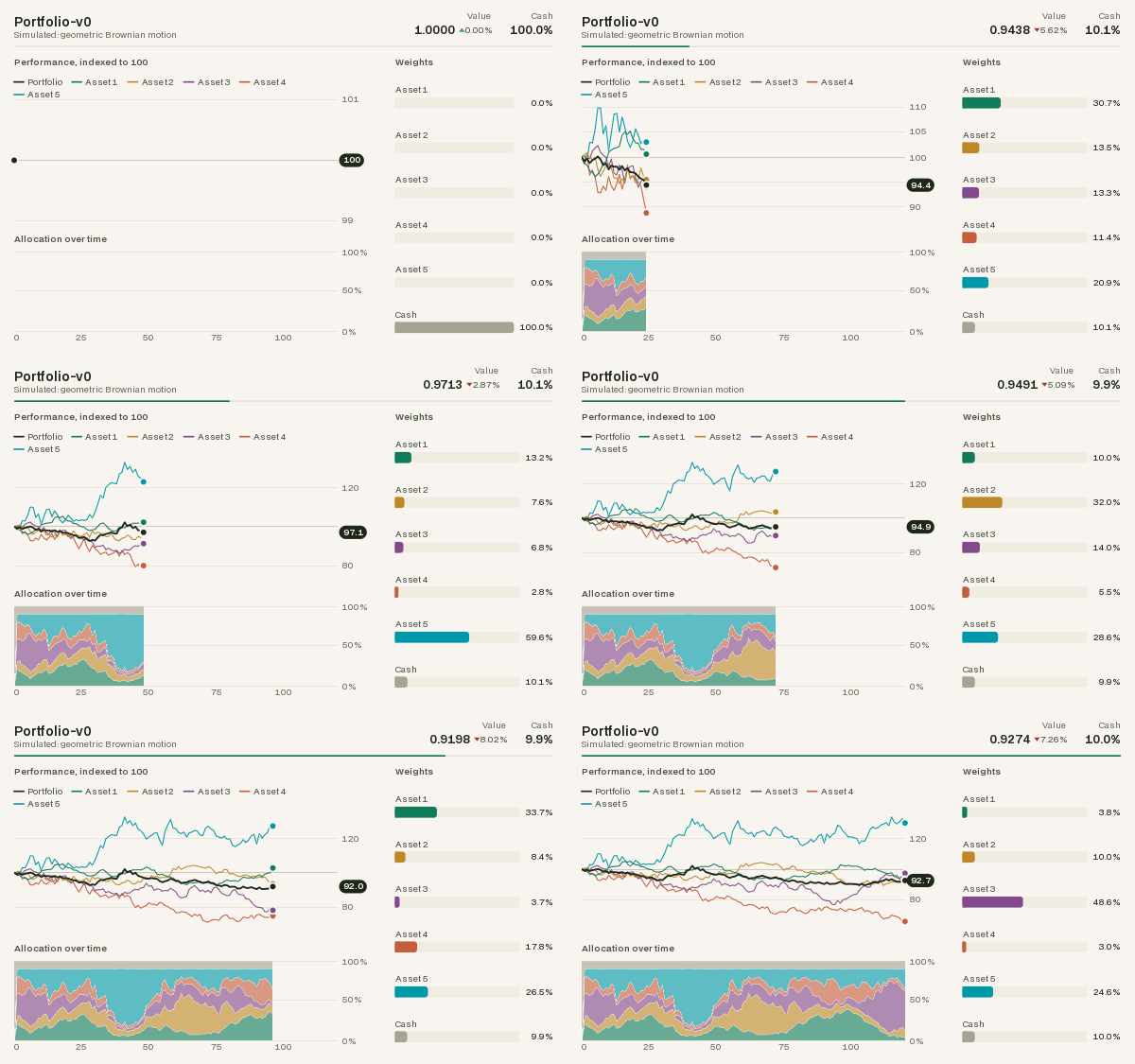
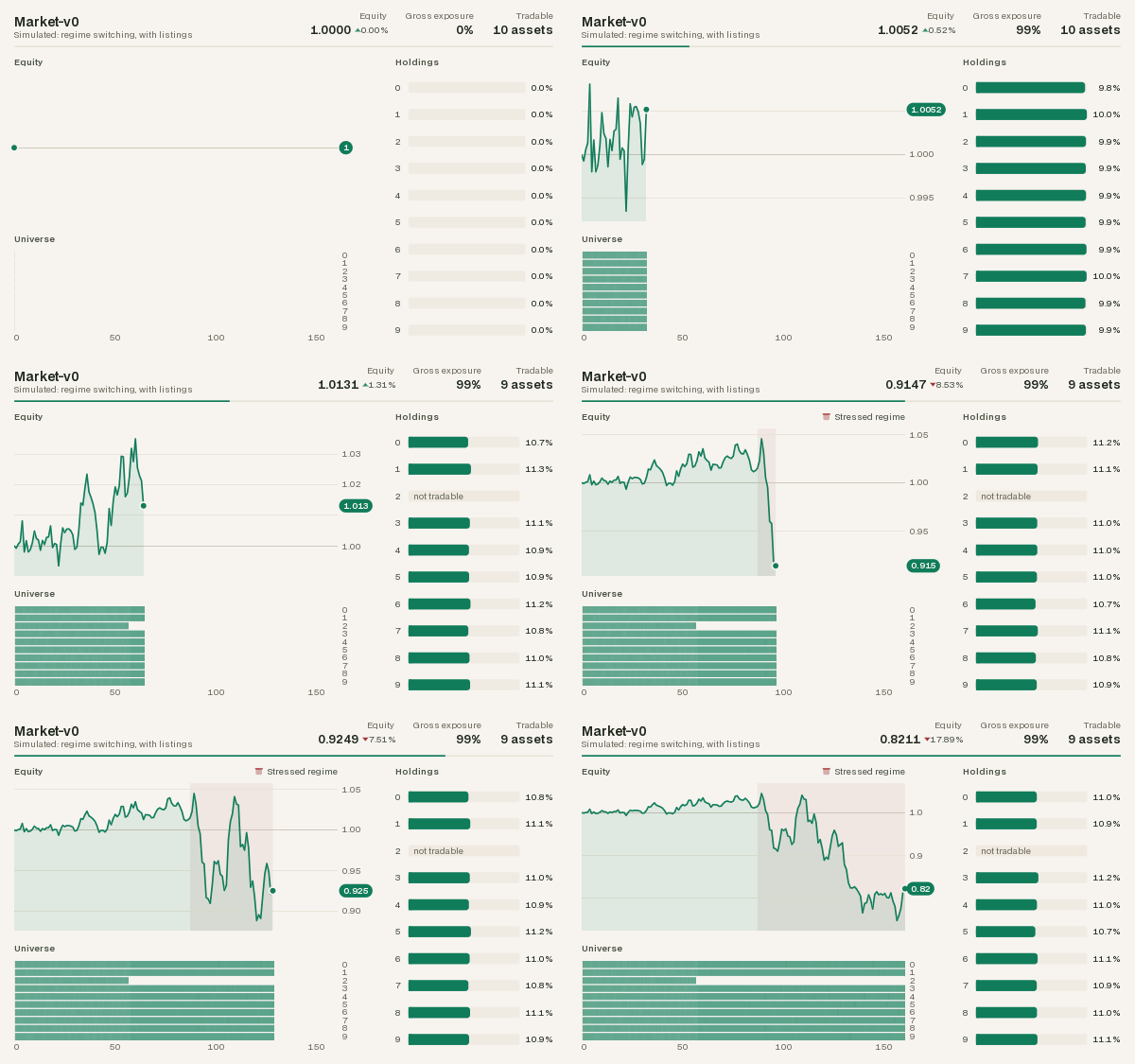
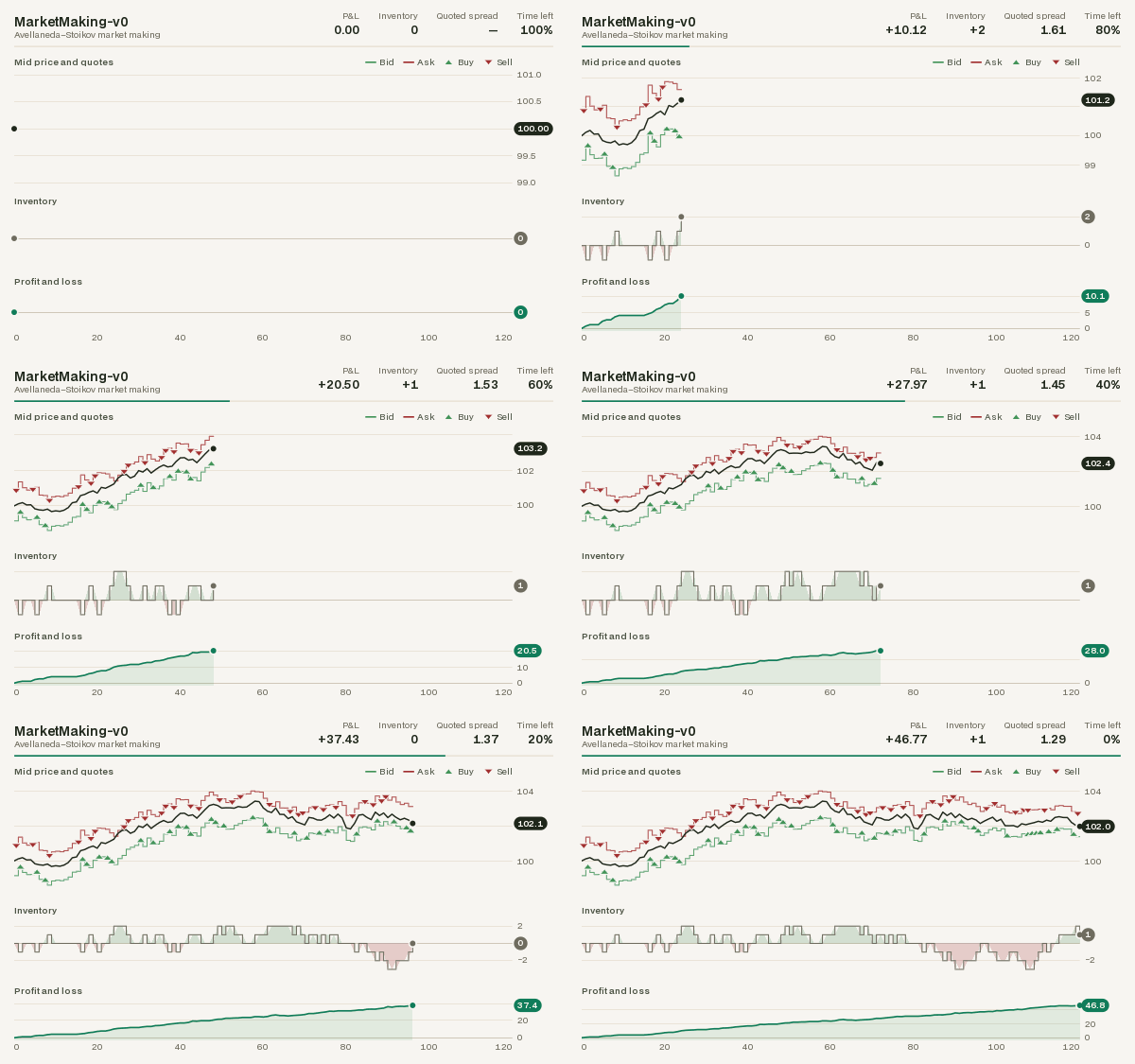
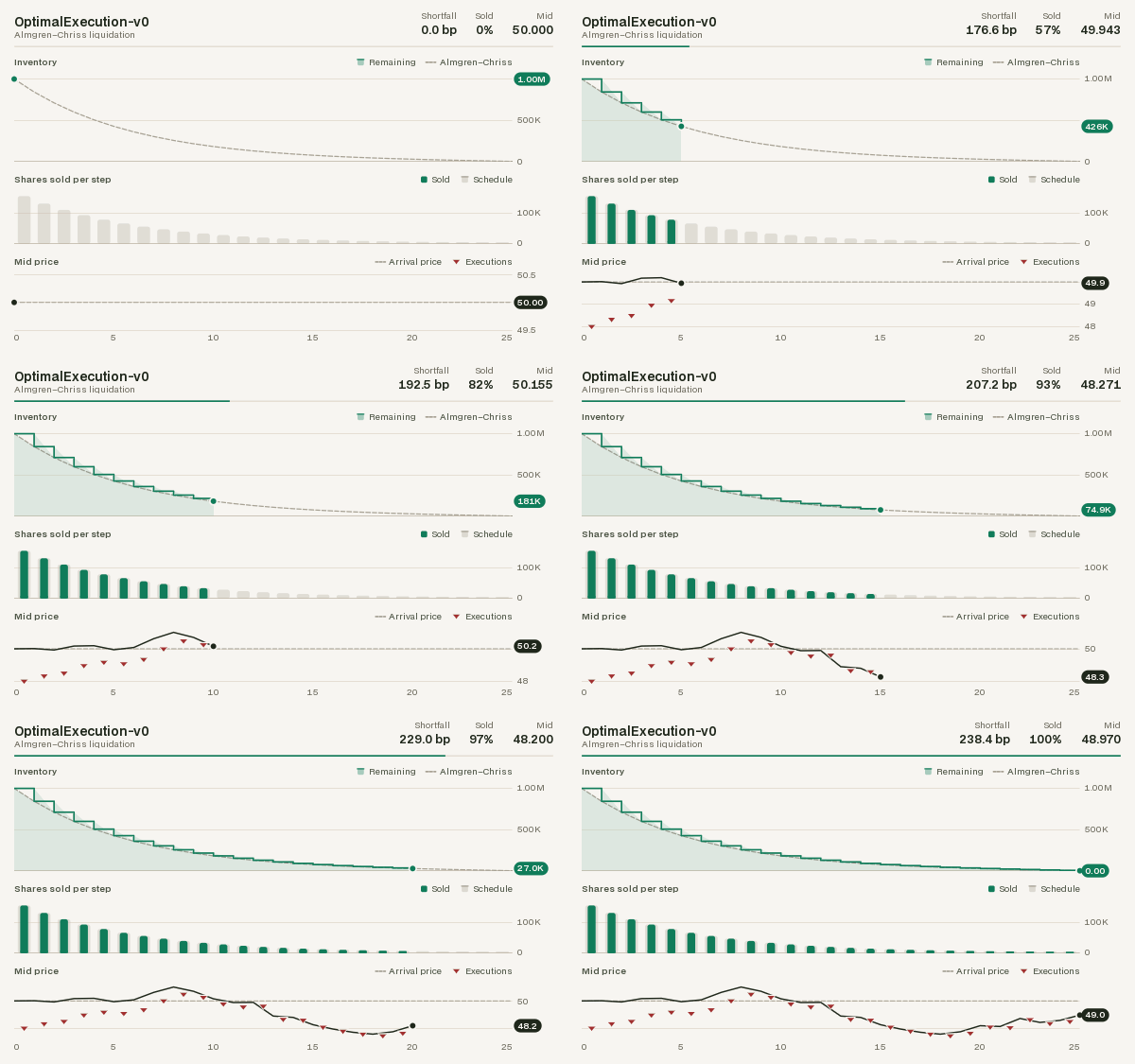
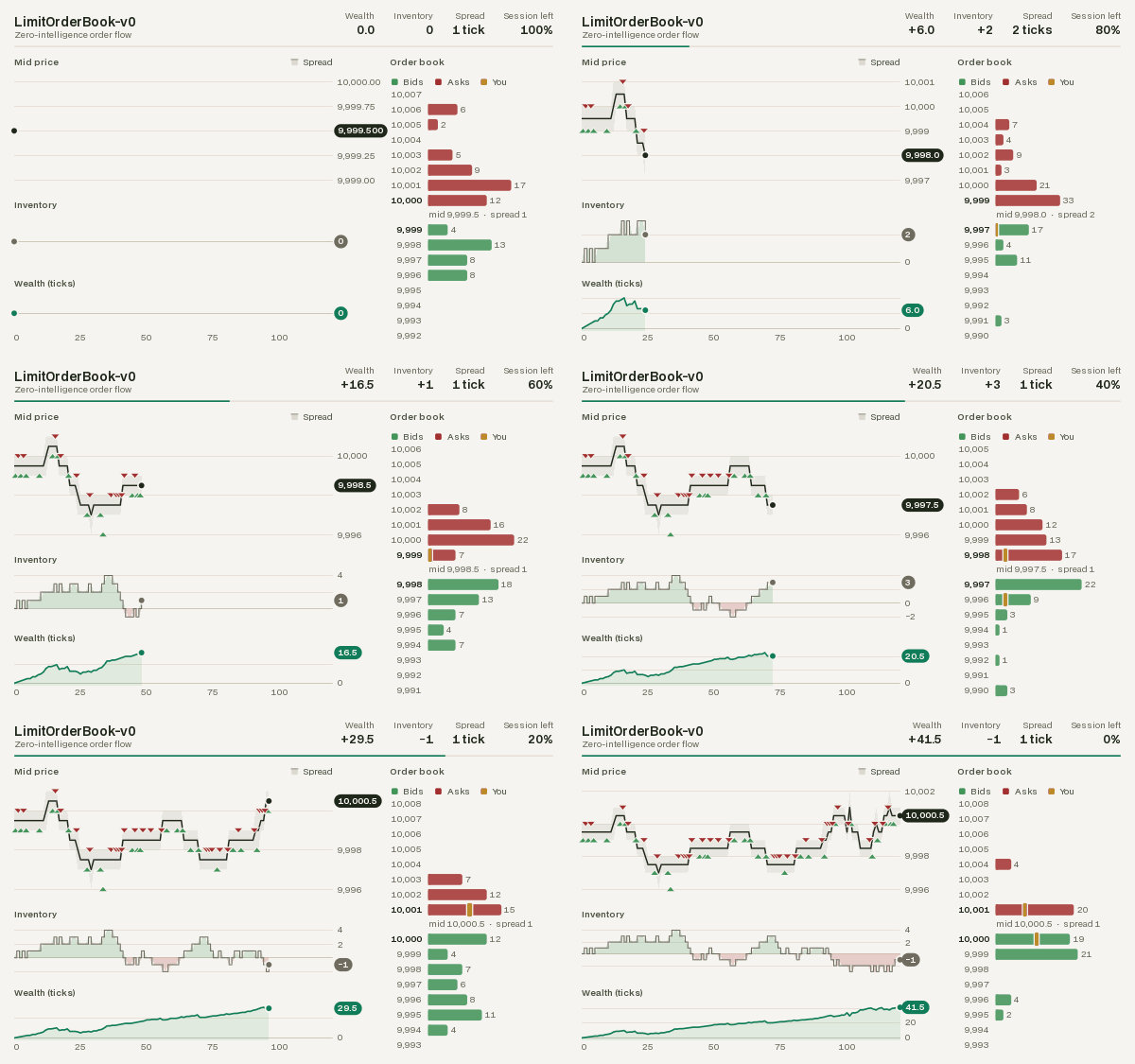
These GIFs were produced by the renderers on this page, with RecordFrames and
save_gif(); the finance ones by
examples/render_finance.py.
The Renderer protocol
A renderer has two methods:
| Method | Returns |
|---|---|
render(env) |
an RGB frame (np.ndarray, shape (H, W, 3), uint8) or a text frame (str) |
close() |
releases resources (windows, figures, file handles) |
sekai.rendering.Renderer is a runtime-checkable typing.Protocol, so any object with those
two methods works (and passes isinstance(obj, Renderer)). Subclass
sekai.rendering.BaseRenderer to get a no-op close() and with renderer: support, which
calls close() on exit; the built-in renderers do.
Built-in renderers
Classic control
The classic-control environments come with RGB renderers that mirror gymnasium's
rgb_array output, drawn with sekai's own Canvas (no pygame needed):
| Renderer | Draws | Frame size |
|---|---|---|
CartPoleRenderer(width=600, height=400) |
CartPole-v1 |
(height, width, 3) |
MountainCarRenderer(width=600, height=400) |
MountainCar-v0, MountainCarContinuous-v0 |
(height, width, 3) |
PendulumRenderer(size=500) |
Pendulum-v1 |
(size, size, 3) |
AcrobotRenderer(size=500) |
Acrobot-v1 |
(size, size, 3) |
They live in sekai.envs.classic_control, accept a wrapped or unwrapped env, raise
ResetRequired before the first reset() and TypeError for the wrong kind of env.
import numpy as np
import sekai
from sekai.envs.classic_control import CartPoleRenderer

env = sekai.make("CartPole-v1")
renderer = CartPoleRenderer()
env.reset(seed=0)
frame = renderer.render(env)
print(frame.shape, frame.dtype)  # (400, 600, 3) uint8
Finance
Every finance environment has a renderer in sekai.envs.finance. Each draws the episode so
far as a dashboard: a header with the environment's name, where its prices come from (the
date, for dated history) and its headline numbers, a progress rule along the episode, and
charts underneath.
| Renderer | Draws | Charts |
|---|---|---|
TradingRenderer |
Trading-v0 |
the price, with the lookback window before the episode, the position shaded behind it (long, short) and each trade marked; equity against buying and holding |
PortfolioRenderer |
Portfolio-v0 |
the portfolio and every asset indexed to 100; the allocation over time; the current weights |
MarketRenderer |
Market-v0 |
equity, with the simulated market's stressed regime shaded; the universe over time (which slots are tradable and held); the holdings |
MarketMakingRenderer |
MarketMaking-v0 |
the mid price with the bid and ask quotes and every fill; inventory; profit and loss |
OptimalExecutionRenderer |
OptimalExecution-v0 |
the shares left against the Almgren–Chriss schedule; shares sold per step; the mid price, execution prices and arrival price |
LimitOrderBookRenderer |
LimitOrderBook-v0 |
the mid price, spread and the agent's fills; inventory; wealth; the order book as a depth ladder, the agent's orders shown at their place in the queue |
LimitOrderBookMarketRenderer |
LimitOrderBookMarket |
the same, with every trader in its own colour, over session time |
All of them take width=720 and height=450 (text and marks scale with the frame),
theme="light" or "dark" (see Themes) and window=None (an int shows only
the latest steps, a scrolling chart for long episodes); the two order-book renderers also
take levels=8, the price ticks shown on each side of the mid. Like the classic-control
renderers they accept a wrapped or unwrapped env and raise TypeError for the wrong kind.
They draw at 10 to 20 ms a frame.
from sekai.envs.finance import TradingRenderer
from sekai.rendering import RecordFrames

env = RecordFrames(sekai.make("Trading-v0", episode_length=60), TradingRenderer())
result = env.reset(seed=0)
while not result.done:
    result = env.step(2)  # stay long
print(len(env.frames), env.frames[-1].shape)  # 61 (450, 720, 3)
env.save("trading.gif")
A renderer keeps the history of the episode it draws: every value it shows is recorded as
the frames are rendered, so render each step (as RecordFrames does) for complete charts.
It recognises a new episode from the env's elapsed_steps going back to 0, and one renderer
can draw several environments at once, keeping a history for each.
LimitOrderBookMarket is multi-agent, and RecordFrames wraps single-agent environments
only, so call renderer.render(env) after each step yourself.
Recording frames
RecordFrames (in sekai.rendering) calls a renderer after every reset() and step()
and keeps the frames in env.frames:
from sekai.envs.classic_control import PendulumRenderer
from sekai.rendering import RecordFrames

env = RecordFrames(sekai.make("Pendulum-v1"), PendulumRenderer(size=200))
env.action_space.seed(0)
result = env.reset(seed=0)
while not result.done:
    result = env.step(env.action_space.sample())

print(len(env.frames), env.frames[0].shape)  # 201 (200, 200, 3)
path = env.save("pendulum.gif")              # fps defaults to env.metadata["render_fps"]
print(path)  # pendulum.gif
env.close()                                  # closes the renderer too
| Option / method | Effect |
|---|---|
enabled=True |
set env.enabled = False to pause recording |
max_frames=None |
stop capturing after this many frames |
clear() |
drop the captured frames, e.g. between episodes |
save(path, fps=None) |
.gif via Pillow, anything else (e.g. .mp4) via imageio |
save() needs RGB array frames: frames recorded from a text ("ansi") renderer raise
TypeError.
Saving GIFs and videos
save_gif(frames, path, fps=30) and save_video(frames, path, fps=30) write a list of RGB
frames of shape (H, W, 3), or one stacked (T, H, W, 3) array; greyscale (H, W) and RGBA
(H, W, 4) frames work too. All frames must have the same shape and integer pixel values in
[0, 255] (uint8, or any integer dtype within that range), and fps must be positive.
Anything else raises before a file is written: ValueError for an empty list, a single frame
passed instead of a list, a bad shape or fps, frames of different sizes, float frames (scale
an image in [0, 1] with (frame * 255).round().astype(np.uint8)) and values outside
[0, 255], and TypeError for text frames. GIFs need Pillow; videos need imageio with its
ffmpeg plugin. Both come with pip install "sekai[render]".
The frames of an RGB GIF share one 256-colour palette, so a pixel that does not change keeps its colour from frame to frame and each frame stores only what changed: an animated chart comes out about half the size, colours cannot flicker, and frames with at most 256 colours in all (the classic-control renderers') are saved exactly.
from sekai.rendering import save_gif

env = sekai.make("CartPole-v1")
renderer = CartPoleRenderer(width=300, height=200)
result = env.reset(seed=0)
frames = [renderer.render(env)]
while not result.done:
    result = env.step(1)  # keep pushing right, until the pole falls
    frames.append(renderer.render(env))
print(len(frames), save_gif(frames, "push_right.gif", fps=25))  # 9 push_right.gif
from sekai.rendering import save_video

save_video(frames, "cartpole.mp4", fps=50)   # needs imageio + imageio-ffmpeg
Dashboards for your own environments
The finance renderers are sekai.rendering.Dashboards, assembled from charts that you can
use as well, so an environment of your own gets the same kind of renderer in a few lines.
A dashboard needs nothing from the environment but readable state:
import numpy as np
import sekai
from sekai.finance.rendering import PriceChart
from sekai.rendering import Dashboard, LineChart, RecordFrames, Series, Stat


class SpreadTrading(sekai.Env):
    """Trade the spread of a cointegrated pair: long below zero, short above."""

    def __init__(self, episode_length=100):
        self.episode_length = episode_length
        self.observation_space = sekai.Box(-np.inf, np.inf, shape=(2,), dtype=np.float32)
        self.action_space = sekai.Discrete(3)  # short, flat, long

    def reset(self, *, seed=None, options=None):
        self._set_rng(seed)
        self.elapsed_steps, self.spread, self.position, self.pnl = 0, 0.0, 0.0, 0.0
        return sekai.ResetResult(self._obs(), {})

    def step(self, action):
        self.position = float(action) - 1.0
        move = -0.15 * self.spread + float(self.rng.normal(0, 0.3))
        self.pnl += self.position * move
        self.spread += move
        self.elapsed_steps += 1
        done = self.elapsed_steps >= self.episode_length
        return sekai.StepResult(self._obs(), self.position * move, False, done, {})

    def _obs(self):
        return np.array([self.spread, self.position], dtype=np.float32)


renderer = Dashboard(
    PriceChart("spread", position="position", reference=0.0, reference_label="Fair value",
               title="Spread", height=3),
    LineChart(Series("pnl", label="P&L", color="accent", fill=True), title="Profit and loss",
              baseline=0.0, height=2),
    title="Spread trading",
    subtitle="A custom environment",
    stats=[Stat("P&L", "pnl", "{:+.2f}"), Stat("Spread", "spread", "{:+.2f}")],
)
env = RecordFrames(SpreadTrading(), renderer)
result = env.reset(seed=0)
while not result.done:
    spread = env.unwrapped.spread
    result = env.step(2 if spread < -0.3 else 0 if spread > 0.3 else 1)
print(len(env.frames), env.frames[-1].shape)  # 101 (450, 720, 3)
env.save("spread_trading.gif")
Sources. Charts read the environment through sources: an attribute path on the unwrapped
env ("pnl", "book.best_bid"; a method is not called), or a function of the env as passed
to render() (lambda env: env.unwrapped.weights[:-1]). A single attribute the base env
lacks is also looked up on its wrappers.
Episodes and the time axis. Each frame records the current value of every source, so a
chart shows the episode up to now. The clock is step= (default: the env's
elapsed_steps, through wrappers): a clock at 0, or one that goes backwards, starts a new
history, and rendering the same step twice redraws it without recording it again. Any number
works as a clock (LimitOrderBookMarketRenderer uses session time); with step=None every
render counts as a step and you call renderer.reset() between episodes. horizon= fixes
the end of the time axis so the episode draws from left to right; by default it is the
env's episode_length or n_steps, else the max_episode_steps of its spec, else the axis
grows with the episode. window= shows only the latest steps.
Layout. The positional arguments are stacked top to bottom. A list (or Row(...)) puts
charts side by side, Column(...) stacks them inside a row, and each chart's width= and
height= set its share (or pass heights= and Row(..., widths=...)). Time-series charts
share one time axis, labelled under the lowest chart of each column, and reserve a gutter on
the right for their y-axis labels so their plots line up.
Header. title= (default: the env's registered id or class name), subtitle= (a string
or a source, e.g. the date) and stats=, a list of Stat(label, source, format, delta=...):
a headline number, with its change since the episode began when delta="relative" or
"absolute" (a direction triangle in the up or down colour; pass
higher_is_better=False for costs).
Charts
| Chart | Shows |
|---|---|
LineChart(*series, baseline=, percent=, limits=, shade=) |
series over time on one axis; Series(source, label=, color=, fill=, signed=, step=, dashed=, rebase=) sets each line's look, rebase=100 indexes it to 100 at the start, shade= a source that shades the steps where it is true |
BarChart(source, labels=, colors=, color=, available=, limit=) |
the current values of a vector as labelled bars (weights, holdings); available= greys out bars that cannot trade |
StackedArea(source, labels=, colors=) |
a vector over time as stacked areas (an allocation's composition) |
PriceChart(price, position=, quotes=, spread=, buys=, sells=, context=, reference=) |
a price with the agent's position shaded behind it, trades as triangles, its quotes, the market's spread band, the history before the episode and a reference level |
OrderBookChart(book, owners=, levels=) |
a sekai.finance.OrderBook as a depth ladder around the mid, with the orders of the owners you name highlighted at their place in each queue |
UniverseChart(weights, available=, labels=) |
a changing universe over time: one row per slot, filled while held, grey while tradable, empty while unlisted |
The first three live in sekai.rendering, the market charts in sekai.finance.rendering
(and sekai.finance). Colours are theme roles ("accent", "up", "down", "neutral",
"highlight", "price", ...), hex strings, RGB tuples or palette slots (0 to 7); left
out, the i-th series or bar takes palette slot i, so an asset keeps its colour in every chart.
Custom panels
Subclass sekai.rendering.Panel: sources() names what to record each frame,
draw(canvas, box, view) draws it, reading the recorded values back from the View.
frame() draws the title (and a legend) and returns the plot area, and
sekai.rendering.charts has the pieces the built-in charts use: Plot (data to pixels,
gridlines, lines, areas, markers, value tags), nice_ticks, tick_labels, format_number.
from sekai.rendering import Panel
from sekai.rendering.charts import Plot, nice_ticks, tick_labels


class Drawdown(Panel):
    """How far the P&L is below its running peak."""

    def sources(self):
        return {"pnl": "pnl"}  # recorded every frame, read back as view.values("pnl")

    def draw(self, canvas, box, view):
        pnl = view.values("pnl")
        drawdown = pnl - np.maximum.accumulate(pnl)
        area = self.frame(canvas, box, view)  # title row; returns the plot area
        low = min(float(drawdown.min()), -1.0) * 1.1
        plot = Plot(canvas, area, view.x_domain, (low, 0.0), view.theme, view.scale)
        ticks = nice_ticks(low, 0.0, 3)
        plot.grid(ticks, tick_labels(ticks))
        plot.area(view.steps, drawdown, view.theme.down, base=0.0, alpha=0.2)
        plot.line(view.steps, drawdown, view.theme.down)
        self.time_axis(plot, view)


renderer = Dashboard(
    LineChart(Series("pnl", label="P&L", fill=True), title="Profit and loss", baseline=0.0),
    Drawdown("Drawdown"),
    title="Spread trading",
)
A panel with timeseries = False (a class attribute) is not on the time axis, like
BarChart and OrderBookChart. context() names values to read once at the start of an
episode (PriceChart reads its lookback window this way), and x_start(view) lets a panel
start the shared time axis before the first step. A dashboard can also change its charts
after it is built, with set_layout(): the Portfolio renderer adds one line per asset when it
first sees an environment.
Themes
sekai.rendering.LIGHT (the default) and DARK use the Qian Capital palette: warm paper or
a forest-ink surface, with forest-green and gold accents. A Theme names its colours by the
job they do: surface and ink (background, grid, axis, text, text_secondary,
text_muted), roles (price, accent for the series a chart is about, neutral for
benchmarks and cash, highlight for the agent's own orders), the polarity pair up /
down (long and short, buys and sells, bids and asks, gains and losses), and series, an
eight-colour categorical palette assigned in order and never cycled (a ninth series is drawn
in neutral).
Both palettes were checked for colour-vision deficiency: adjacent palette slots stay
distinguishable under protanopia and deuteranopia, and so do the first three slots in every
pair, as do the up and down colours. Charts never rely on colour alone either: trades are
triangles pointing up or down, bids sit below asks, and every chart with two or more series
has a legend.
from sekai.rendering import DARK, LIGHT

renderer = TradingRenderer(theme="dark")
blue_up = LIGHT.with_colors(up="#2a78d6", down="#d95926")  # a blue/orange polarity pair
renderer = TradingRenderer(theme=blue_up)
Canvas
sekai.rendering.Canvas is a tiny, dependency-free RGB raster. The origin is at the
bottom-left with y pointing up (convenient for physics), and to_array() returns a copy
of the (H, W, 3) uint8 image. By default shapes are filled by testing pixel centres;
Canvas(width, height, background, antialias=True) draws every shape with exact coverage at
its edges instead (smooth lines and curves, rectangles on fractional pixels, round line caps
and joins), as the dashboards do.
| Method | Draws |
|---|---|
clear(color=(255, 255, 255)) |
fills the canvas |
rect(left, bottom, right, top, color, radius=0) |
an axis-aligned rectangle, its corners rounded by radius |
polygon(points, color) |
a filled polygon from (x, y) vertices |
circle(cx, cy, radius, color) |
a filled disc |
line(start, end, color, width=1.0, dash=None) |
a segment; dash=(on, off) in pixels |
polyline(points, color, width=1.0, dash=None) |
connected segments; a NaN point leaves a gap |
fill_between(x, y1, y2, color) |
the area between two curves sampled at increasing x |
image(array, left, bottom, right, top) |
an RGB or RGBA image scaled into a box, each pixel a crisp block (heatmaps, matrices) |
text(x, y, text, color, size=12, bold=False, align="left", valign="baseline") |
a line of text; returns its width |
Every shape also takes alpha= (opacity in [0, 1]), and with canvas.clip(left, bottom,
right, top): restricts drawing to a rectangle. Text is set in BDO Grotesk, the typeface of
these pages, from glyphs rasterised ahead of time at 9 to 32 pixels (other sizes snap to the
nearest; larger ones are scaled) in a regular and a bold weight, with kerning and tabular
digits, so numbers that change from frame to frame keep their width. The glyphs ship with
sekai under the SIL Open Font License; sekai.rendering.text_width(text, size, bold)
measures text before you draw it.
sekai.rendering.rotate(points, angle, origin=(0, 0)) rotates points counter-clockwise, for
drawing rotated bodies.
from sekai.rendering import Canvas

canvas = Canvas(8, 4)
canvas.rect(0, 0, 4, 2, (0, 0, 0))  # bottom-left 4x2 block
print((canvas.to_array()[:, :, 0] == 0).astype(int))
Writing a renderer
A renderer reads whatever public state the env exposes. Two renderers for
MarketMaking-v0: an RGB gauge of inventory and
session progress, and a text ticker.
from sekai.rendering import Renderer


class InventoryGauge(Renderer):
    """Green/red bar: inventory relative to the limit. Blue strip: session elapsed."""

    def __init__(self, width=300, height=60):
        self.width, self.height = width, height

    def render(self, env):
        mm = env.unwrapped
        canvas = Canvas(self.width, self.height)
        centre = self.width / 2
        end = centre + mm.inventory / mm.max_inventory * centre
        color = (46, 125, 50) if end >= centre else (198, 40, 40)
        canvas.rect(min(centre, end), 20, max(centre, end), 50, color)
        canvas.line((centre, 15), (centre, 55), (0, 0, 0))
        elapsed = 1 - mm.time_remaining / mm.total_time
        canvas.rect(0, 0, elapsed * self.width, 8, (63, 81, 181))
        return canvas.to_array()

    def close(self):
        pass


class Ticker(Renderer):
    def render(self, env):
        mm = env.unwrapped
        return f"t={mm.total_time - mm.time_remaining:.2f} mid={mm.mid:.2f} inv={mm.inventory:+d}"

    def close(self):
        pass


env = RecordFrames(sekai.make("MarketMaking-v0"), InventoryGauge())
ticker = Ticker()
result = env.reset(seed=0)
while not result.done:
    result = env.step(env.unwrapped.avellaneda_stoikov_action())
print(ticker.render(env))  # t=1.00 mid=99.93 inv=-1
print(len(env.frames), env.frames[-1].shape)  # 201 (60, 300, 3)
For a renderer that follows a whole episode, build a dashboard instead: it records the history for you.
With gymnasium
to_gymnasium(env, renderer=...) turns a renderer into a
gymnasium render_mode="rgb_array" (pass render_mode="ansi" for a text renderer), so
gymnasium's RecordVideo and similar tools work. "human" is not accepted, since a renderer
returns frames rather than drawing to a window; wrap the converted env in gymnasium's
HumanRendering to watch it. In the other direction, GymnasiumRenderer renders an
env brought in with from_gymnasium() by calling the gymnasium env's own render() (for
gymnasium's classic-control envs that needs pygame: pip install "gymnasium[classic-control]").